
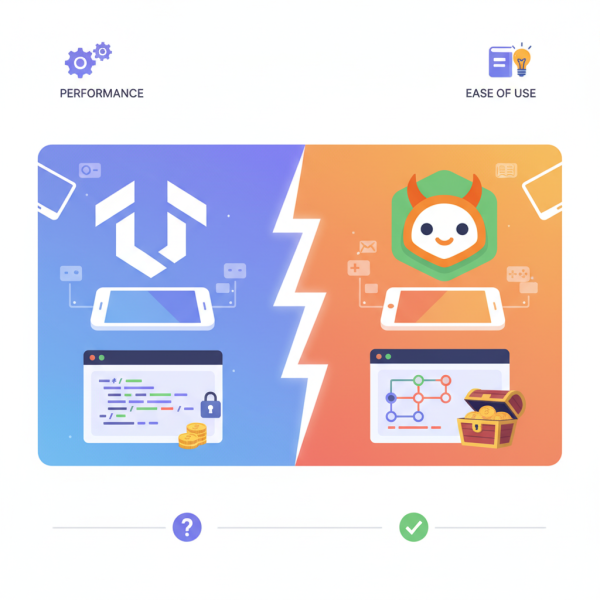
Godot vs. Unity: Choosing the Right Engine
What you'll learn
 Mobile Game Engine ComparisonPerformance ConsiderationsEase of Use and Learning CurveLicensing and Cost Implications
The mobile gaming market continues its explosive growth, offering immense opportunities for developers and designers. However, selecting the right game engine is a foundational decision that impacts every aspect of a project, from development speed and performance to long-term scalability and financial viability. For mobile game development, two engines frequently dominate the discussion: Godot and Unity. Both offer robust feature sets, but they cater to different philosophies and come with distinct advantages and disadvantages, especially when viewed through the lens of performance, ease of use for newcomers, and crucial licensing costs.
The Mobile Landscape and Engine Choices
Mobile game development presents unique challenges, primarily due to hardware limitations, diverse device ecosystems, and the need for tight performance optimization. An engine's ability to handle these constraints effectively is paramount. While many engines exist, Godot and Unity stand out for their accessibility and capabilities, making them top contenders for projects ranging from casual puzzlers to graphically intensive adventures on smartphones and tablets.
Developers must weigh factors such as rendering capabilities, scripting efficiency, build size, and the availability of mobile-specific tools. Understanding how each engine approaches these areas is critical for making an informed choice that aligns with a project's technical requirements and the development team's expertise.
Performance: Optimizing for Mobile Devices
Performance on mobile is non-negotiable. Poor optimization leads to low frame rates, excessive battery drain, and ultimately, a frustrated user base. Both Godot and Unity have mechanisms to optimize for mobile, but their underlying architectures provide different starting points.
Unity, with its long history and mature rendering pipeline, offers extensive tools for profiling and optimizing mobile performance. Developers have fine-grained control over graphics settings, asset compression, and build configurations. Its C# scripting, when optimized, can be very efficient. However, Unity projects can sometimes be larger in build size, which is a consideration for app store downloads and device storage.
Godot, on the other hand, is known for its lightweight nature. Its renderer, especially Godot 4's Vulkan/OpenGL ES 3.2 renderer, is designed to be performant across a range of hardware. Godot's scene-tree architecture and integrated scripting language (GDScript) are inherently optimized for speed and smaller build sizes. While it might not have the sheer depth of optimization tools as Unity, its lower overhead often results in better baseline performance and smaller executables.
- Unity excels with highly customizable rendering pipelines (URP, HDRP) and deep profiling tools, allowing for extreme optimization but requiring developer expertise.
- Godot offers a lighter footprint and generally good out-of-the-box performance, making it easier to achieve acceptable frame rates without extensive manual optimization.
- Build size is often smaller with Godot, a significant advantage for mobile distribution.
Ease of Use and Learning Curve for Beginners
For individuals or small teams, the learning curve and overall ease of use can be a decisive factor. Both engines aim to be user-friendly but approach this from different angles.
Unity has a vast ecosystem and an abundance of tutorials, documentation, and community support. Its visual editor is powerful and intuitive, allowing for rapid prototyping and level design. Scripting is primarily done in C#, a widely used and well-supported language. While C# itself is robust, mastering Unity's specific APIs and best practices can take time, and its sheer number of features can sometimes feel overwhelming for absolute beginners.
Godot shines with its simplicity and integrated approach. Its node-based scene system is intuitive and easy to grasp. GDScript, Godot's custom scripting language, is similar to Python, making it highly accessible for beginners, especially those without prior programming experience. Godot's editor is designed to be lightweight and responsive, contributing to a smoother learning experience. While its community is growing rapidly, it's still smaller than Unity's, meaning fewer specialized tutorials or assets might be readily available for niche problems.
- Unity offers a mature visual editor, extensive official documentation, and a massive community, but its complexity and C# requirement can be steeper for novices.
- Godot provides an intuitive node-based workflow, an easy-to-learn Python-like GDScript, and a lightweight editor, making it highly approachable for new developers.
- The choice often comes down to comfort with C# versus GDScript, and a preference for a feature-rich behemoth versus a lean, integrated environment.
Licensing Models and Costs
The financial implications of engine choice are critical, especially for independent developers or startups. This is where Godot and Unity diverge significantly.
Unity operates on a subscription-based licensing model. It offers a free "Personal" plan with a revenue cap, typically allowing developers to use the engine for free as long as their gross revenue or funding doesn't exceed a certain threshold (e.g., $200,000 USD in the last 12 months for current versions). Beyond this, "Pro" and "Enterprise" tiers come with monthly or annual fees, offering additional features, support, and higher revenue thresholds. Recent changes to Unity's runtime fee structure have also introduced complexities and uncertainty for some developers, although these changes have been subject to revisions and clarifications.
Godot, conversely, is completely free and open-source under the MIT license. This means there are no upfront costs, no royalties, no revenue caps, and no unexpected fees. Developers have full access to the engine's source code, allowing for deep customization if needed. This makes Godot an incredibly attractive option for budget-conscious developers and those who prioritize full ownership and freedom from commercial licensing constraints. The entire revenue generated from a Godot game belongs solely to the developer, without any portion going back to the engine creators.
Community and Ecosystem
The strength of an engine's community and its surrounding ecosystem – including asset stores, plugins, and developer forums – profoundly impacts development efficiency. Unity boasts the Unity Asset Store, a vast marketplace for 3D models, textures, scripts, and complete project templates. Its extensive forum and Stack Overflow presence mean answers to common problems are usually a quick search away. This mature ecosystem significantly speeds up development by providing ready-to-use components.
Godot's ecosystem is smaller but growing rapidly. Its Asset Library offers a curated selection of community-contributed assets, plugins, and demos. The Godot community is known for being welcoming and active, with vibrant Discord servers, forums, and subreddits. While it might not match Unity's sheer volume of assets, the quality and open-source nature of many Godot resources are a strong point. Developers might need to create more custom assets or scripts in Godot, but this also offers more flexibility and control.
Summary
Choosing between Godot and Unity for a mobile project involves weighing project specific needs against the unique strengths of each engine. Unity offers a comprehensive, feature-rich environment with a massive ecosystem, ideal for developers comfortable with C# and willing to invest in its professional tiers for large-scale projects. Godot provides a lightweight, open-source alternative with an intuitive workflow and no licensing costs, perfect for independent developers, small teams, or those prioritizing freedom and a gentler learning curve with GDScript. Ultimately, the best engine is the one that aligns most closely with your project's scope, team's skill set, and long-term financial strategy, ensuring a smooth and successful journey into the dynamic world of mobile gaming.
Comprehension questions
 What are the three main criteria used to compare Godot and Unity in the article?How does Godot's licensing model differ fundamentally from Unity's, and what are the implications for developers?What is GDScript, and why is it considered advantageous for beginners using Godot?What are some key performance optimization considerations when developing mobile games, and how do Unity and Godot approach them differently?