UI/UX Design for Engaging Touchscreen Experiences
- -->> 7. UI/UX Design for Engaging Touchscreen Experiences
What you'll learn
 Touchscreen UI/UX PrinciplesIntuitive Interface DesignEngaging User ExperiencesIteration and User Testing
User Interface (UI) and User Experience (UX) design are critical pillars in creating digital products that resonate with users. For touchscreens, this discipline takes on unique considerations, moving beyond traditional mouse and keyboard interactions to embrace the immediacy and intimacy of direct manipulation. Crafting truly intuitive interfaces and ensuring a smooth, engaging player experience on these devices requires a deep understanding of human-computer interaction principles tailored specifically for touch input and the diverse landscape of mobile devices. It's about designing a digital world that feels natural and responsive at the tips of our fingers.
The Unique Landscape of Touchscreen UI/UX
Touchscreen devices present a distinct set of challenges and opportunities for designers. Unlike desktop environments, input is primarily direct finger contact, which introduces factors like finger size, accidental touches, and the absence of hover states. The physical constraints of smaller screen real estate demand efficient use of space and thoughtful organization of elements.
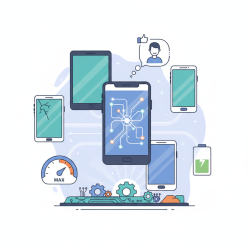
Furthermore, the variety of touchscreen devices—from compact smartphones to larger tablets—means designs must be inherently flexible and responsive. Users interact in diverse environments, often on the go, requiring interfaces that are quick to understand and forgiving of distractions. Consideration for portrait versus landscape orientations is also paramount, as the user's primary viewing mode can significantly alter element placement and reachability.
Core Principles for Intuitive Touch Interfaces
Intuition in design is not accidental; it's the result of applying foundational principles that guide users effortlessly through an application. For touchscreens, these principles are often amplified in their importance.
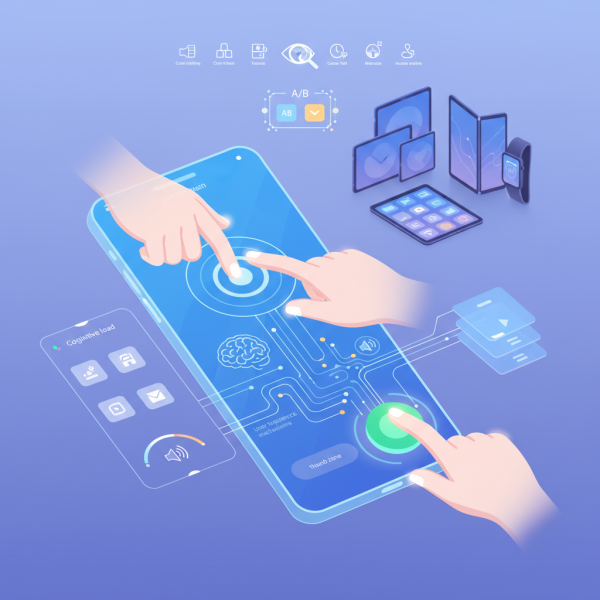
- Thumb Zones and Reachability: Designers must consider how users naturally hold their devices. The "thumb zone" maps out areas of the screen that are easy to reach with one hand. Critical interactive elements should reside in primary thumb zones, while less frequent actions can be placed in secondary or tertiary zones, which might require a stretch or a two-handed grip.
- Visual Hierarchy and Clarity: Clear visual cues are essential. Interactive elements must be distinct and easily identifiable. Buttons should look like buttons, and tappable areas should be clearly delineated from static content. Size, color, contrast, and spacing all contribute to a strong visual hierarchy that guides the user's eye and fingers.
- Feedback Mechanisms: Since there's no physical mouse click, touch interfaces rely heavily on immediate and satisfying feedback. This can be visual (a button animating, a ripple effect), auditory (a click sound), or haptic (a subtle vibration). Such feedback confirms interactions and prevents uncertainty, enhancing the feeling of control.
- Minimizing Cognitive Load: Simplicity and consistency are key. Overloading screens with too many options or forcing users to remember complex sequences of actions increases cognitive load. Design should anticipate user needs, provide logical pathways, and maintain consistent patterns across the application.
Designing for Engaging Player Experiences
Beyond mere functionality, a great touchscreen experience is engaging and enjoyable. This involves leveraging the unique capabilities of touch and designing for a fluid interaction flow.
Gestural Interactions: Touchscreens open up a rich palette of gestural interactions. Swipes, pinches, taps, and long presses can feel incredibly natural and efficient when implemented thoughtfully. However, these gestures must be discoverable and consistent to avoid frustration. Over-reliance on hidden gestures can hinder usability, so a balance is crucial.
Progressive Disclosure: To keep interfaces clean and prevent overwhelming users, progressive disclosure is an invaluable technique. This means revealing information or functionality only when the user needs it or requests it. It allows for a simpler initial view, gradually introducing complexity as the user explores or progresses.
Personalization and Adaptability: Empowering users to customize aspects of their interface, such as theme settings or the arrangement of certain tools, can significantly enhance engagement and ownership. Adaptive interfaces that respond to user behavior or environmental conditions further contribute to a tailored and seamless experience.
Accessibility Considerations: Designing for all users is not just good practice but a necessity. This includes providing larger hit targets for those with motor impairments, ensuring sufficient color contrast for users with visual challenges, and offering adjustable text sizes. Inclusive design principles ensure a wider audience can effectively and comfortably interact with the application.
Iteration and User Testing: The Cornerstone of Success
No design is perfect on its first attempt. The iterative process of prototyping, testing, gathering feedback, and refining is fundamental to creating exceptional touchscreen UI/UX. Early and continuous user testing helps identify pain points, validate assumptions, and uncover unexpected behaviors.
Techniques like A/B testing different interface elements, conducting usability studies with target users, and analyzing analytics data provide invaluable insights. This data-driven approach ensures that design decisions are grounded in real-world user interaction, leading to more robust and enjoyable products.
Summary
Crafting effective UI/UX for touchscreens demands a specialized approach that respects the unique input method and device characteristics. Key to success are principles such as considering thumb zones, establishing clear visual hierarchies, providing robust feedback, and minimizing cognitive load. Engaging experiences are fostered through thoughtful gestural interactions, progressive disclosure of functionality, personalization options, and a strong commitment to accessibility. Ultimately, continuous iteration and user testing are indispensable for validating designs and ensuring the final product delivers an intuitive, smooth, and genuinely delightful experience for every user.
Comprehension questions
 What are some unique challenges of designing UI/UX for touchscreen devices compared to desktop environments?How do feedback mechanisms contribute to an intuitive and satisfying touchscreen experience?Why is iteration and user testing considered the cornerstone of successful touchscreen UI/UX design?
Review Quiz
Next Lesson
Course Contents : Mobile Game Development: From Concept to Launch
- >> 7.
 UI/UX Design for Engaging Touchscreen Experiences