Why Early UI Mockups are Crucial for Game Design
- -->> 4. Why Early UI Mockups are Crucial for Game Design
What you'll learn
 UI Mockups and the Player ExperienceValue of early UI IterationCritical UI Mockup Flows
In the fast-paced world of video game development, the temptation is often to jump straight into coding and creating dazzling 3D models. However, a crucial, often overlooked step that can save time, money, and headaches is creating early-stage UI mockups. A game's User Interface (UI) is the player's direct line of communication with the game world. It's the menus, the heads-up display (HUD), the inventory screens, and all the on-screen information that guides a player's experience. Investing in a solid UI mockup from the very beginning is not just about aesthetics; it’s a strategic decision that provides immense long-term value.
The Value of Early Iteration
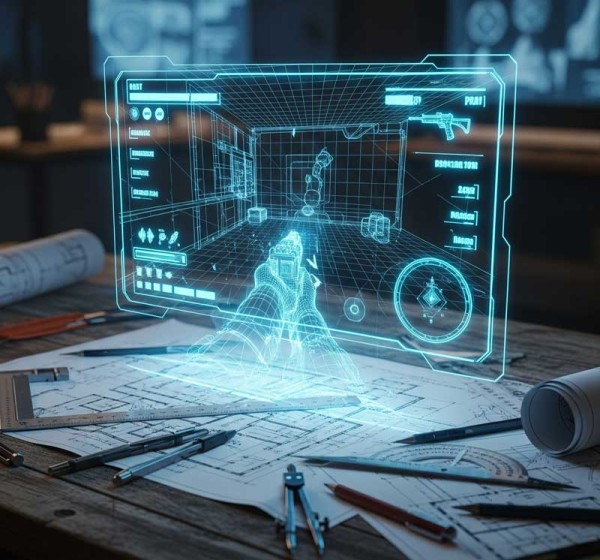
The primary benefit of focusing on UI mockups early in development is the ability to iterate quickly and efficiently. A mockup is a non-functional, visual representation of what the UI will look like. It can be as simple as a sketch on paper or as detailed as a fully interactive prototype. The key is that it exists outside of the game's code. Changing a design element, like the placement of a health bar or the flow of a menu, in a mockup takes minutes or hours. Making the same change in a live game, once the code has been written and art assets have been created, can take days or even weeks. This agility allows developers to test multiple ideas, gather feedback, and refine the user experience before a single line of permanent code is written.
-
Cost-Effective: It's far cheaper to redesign a screen in a mockup program than to have a programmer and a UI artist rebuild it in the game engine.
-
Faster Feedback: Mockups can be shared with stakeholders, playtesters, and team members for rapid feedback, catching usability issues long before they become a major problem.
-
Clear Vision: A well-defined UI mockup provides a clear visual blueprint for the entire development team, ensuring everyone is on the same page and working towards a cohesive player experience.
Critical Areas for UI Mockups
While a game's entire UI deserves attention, certain areas are particularly vital and should be prioritized in the mockup phase. These are the screens and flows that a player will interact with most frequently or that are essential to their understanding of the game.
-
New User Flows: This includes the very first moments a player experiences—the main menu, character creation, and the tutorial. If this experience is confusing or cumbersome, players will leave before they even get a chance to enjoy the game. A smooth, intuitive onboarding process is essential for player retention.
-
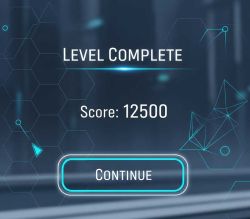 Level Up Sequences and Progression: A player's progression system is a core part of the game loop. Mockups for these screens—showing skill trees, character stats, and a summary of rewards—can ensure the feedback loop is satisfying and clear.
 -
Accomplishing Achievements: The moment a player earns an achievement or completes a major quest is a moment of triumph. Mockups can help design the celebratory pop-ups and reward screens to feel impactful and rewarding, rather than just a quick notification.
-
Monetization Flows: For free-to-play games, the in-game store and monetization flows are critical. Mockups allow you to design a clear, user-friendly, and transparent purchasing process that builds trust and avoids friction. It's vital to ensure players understand what they are buying and can do so easily.
Summary
UI mockups are not just an optional step in game development; they are a fundamental part of building a great user experience. By focusing on them early, you can iterate quickly, reduce costs, and ensure your entire team has a clear, shared vision. Prioritizing key areas like new user onboarding, progression systems, and monetization flows in the mockup phase can save a significant amount of time and resources in the long run. Ultimately, a well-designed UI makes the game more intuitive and enjoyable, creating a seamless and immersive experience for the player from their very first click.
Comprehension questions
 What is the main reason why doing early-stage UI mockups is more efficient than making changes later in the development process?What is the purpose of a UI mockup and why is it considered a "blueprint" for the user experience?Besides new user flows, name two other specific areas of a video game that should receive particular attention during the UI mockup phase.How can focusing on UI mockups for monetization flows benefit a free-to-play video game?
Community Poll
Next Lesson

Course Contents : Laying the Groundwork: The Game Design Phase
- >> 4.
 Why Early UI Mockups are Crucial for Game Design